Show the product in a short video, then let people practise the same steps on real screenshots. Plietschpaket packs both into a SCORM file your LMS already understands.
Say it PLEETCH-pa-kate. Open source, GPL-3.0, runs in one Docker container.
Kontor · Expenses
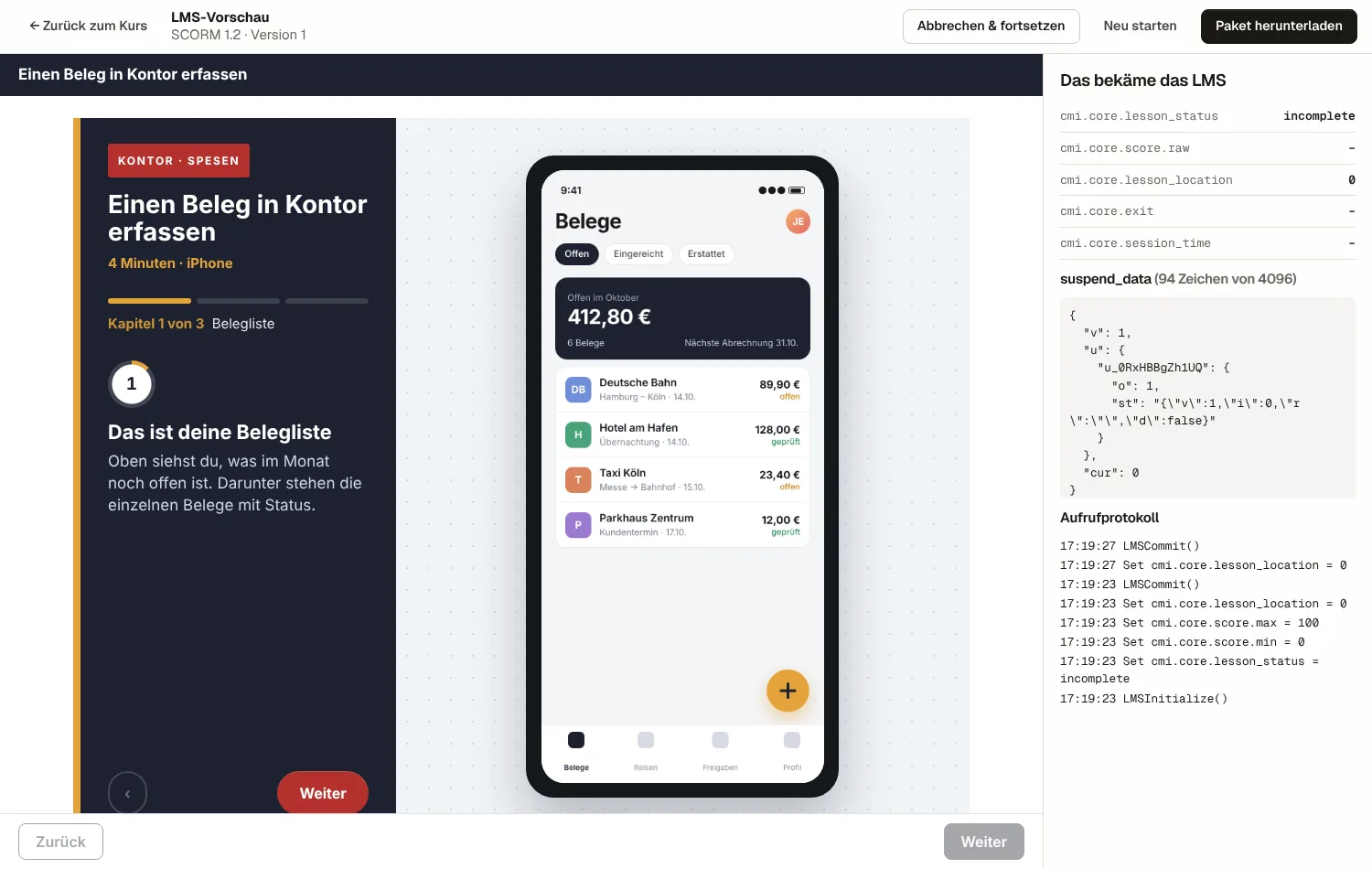
Submit a receipt in Kontor
4 minutes · iPhone
1
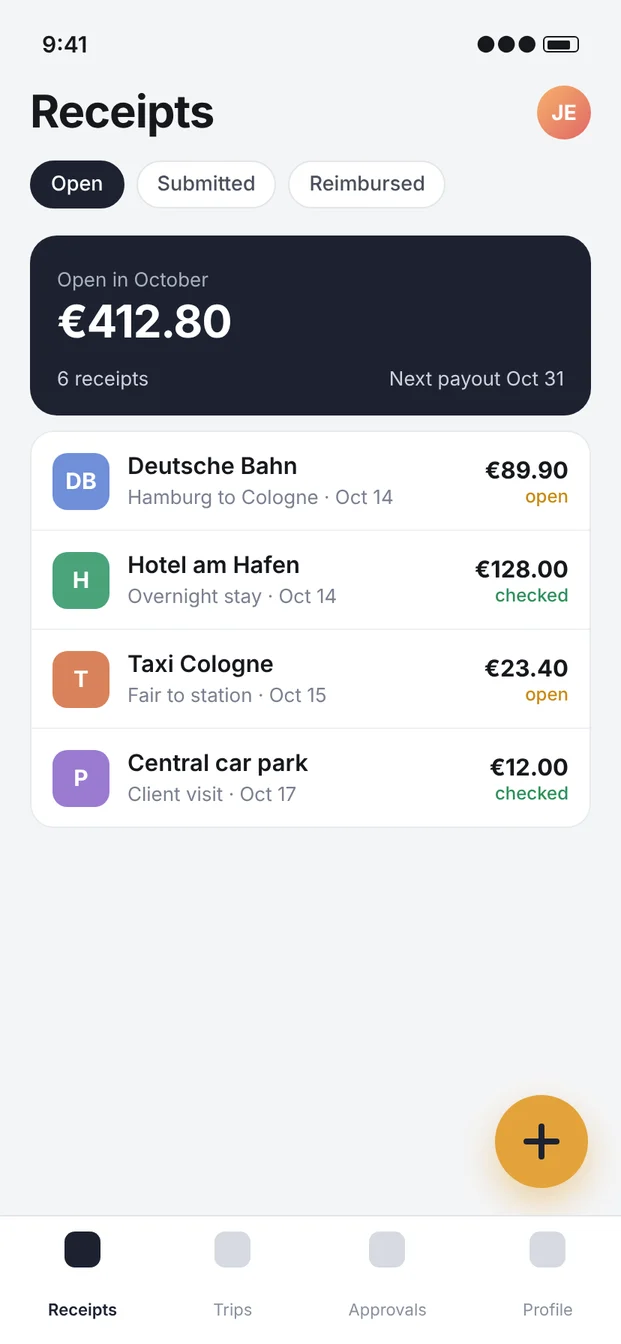
This is your list of receipts
cmi.core.lesson_statuspassed · score 80
SCORM 1.2SCORM 2004 4th editionHTML exportH5PMCPOAuth 2.1DockerGerman · English · French · ItalianMoodleILIASSuccessFactorsCornerstoneSCORM 1.2SCORM 2004 4th editionHTML exportH5PMCPOAuth 2.1DockerGerman · English · French · ItalianMoodleILIASSuccessFactorsCornerstone
One course, three parts
Show it. Let them do it. Tell the LMS.
Most software training stops after the video. People nod along, close the tab and still don't know where the button is. A Plietschpaket course keeps going until they have pressed it themselves.
01
Show the product
Start with your screen recording or an avatar video, from a file or embedded from YouTube or Vimeo. Interactive video adds buttons, questions that pause playback and jumps between chapters.
Questions that stop the video until someone answers
Chapter jumps and clickable hotspots
Subtitles as WebVTT in every course language
Where do you add a new receipt?In the profileThe plus button on the receipt listUnder approvals
01:12 / 02:48
02
Let them practise
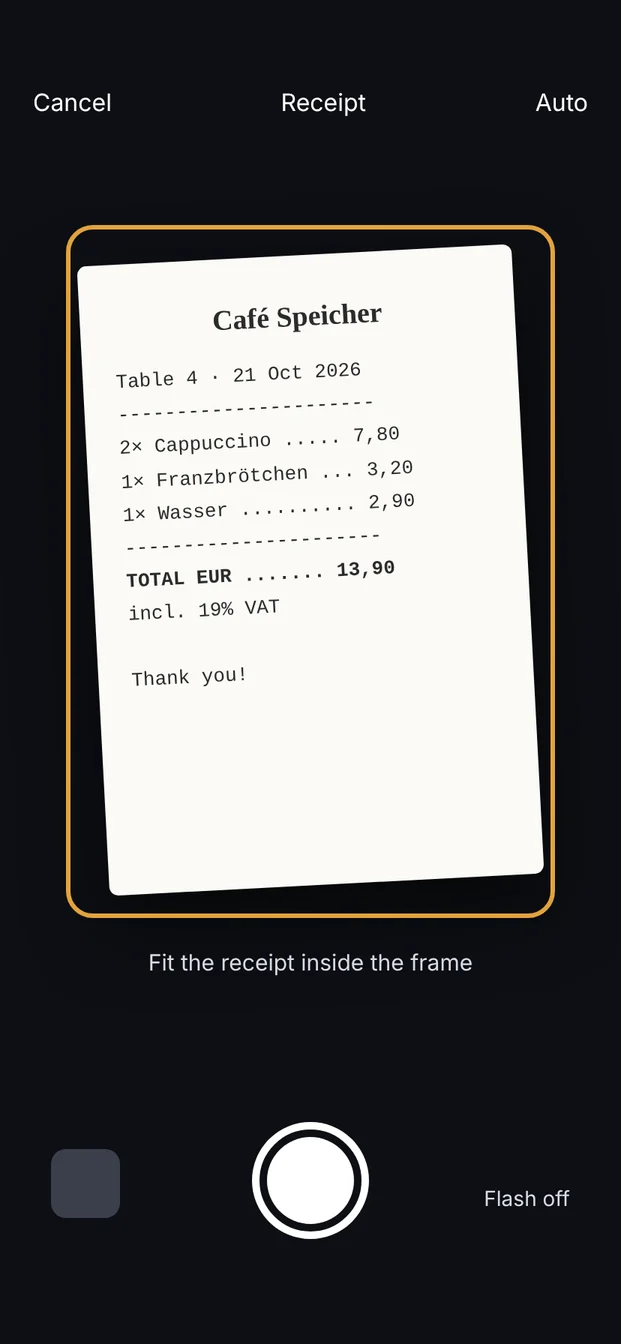
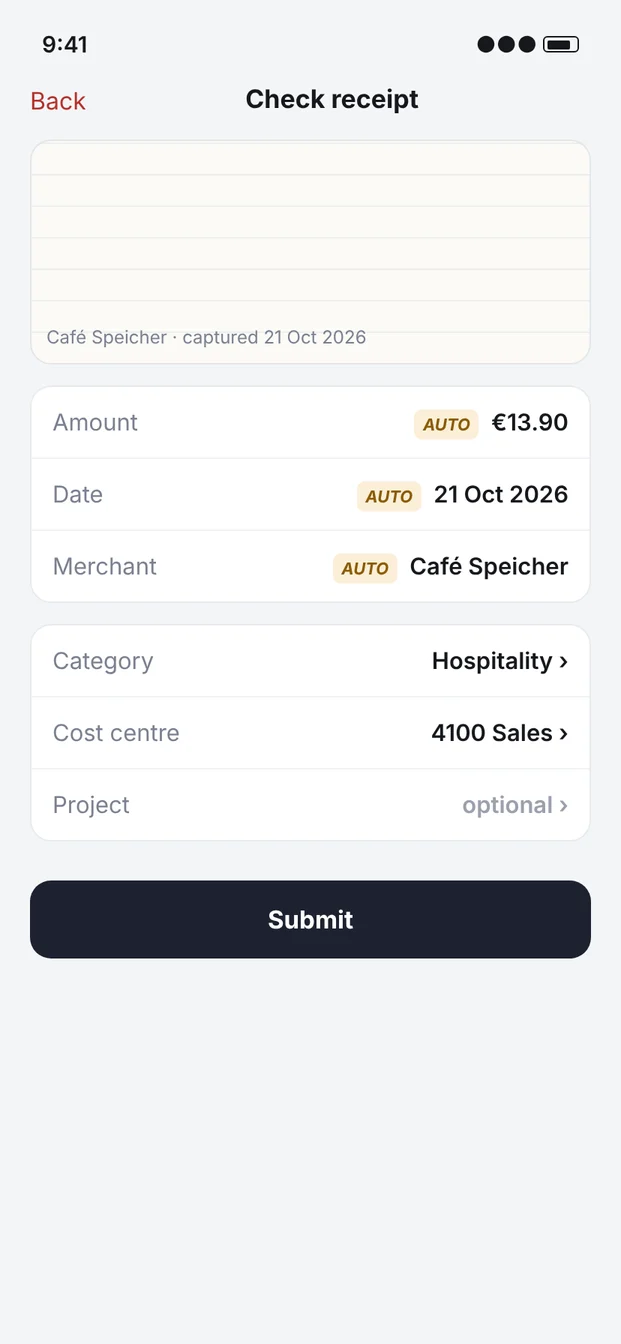
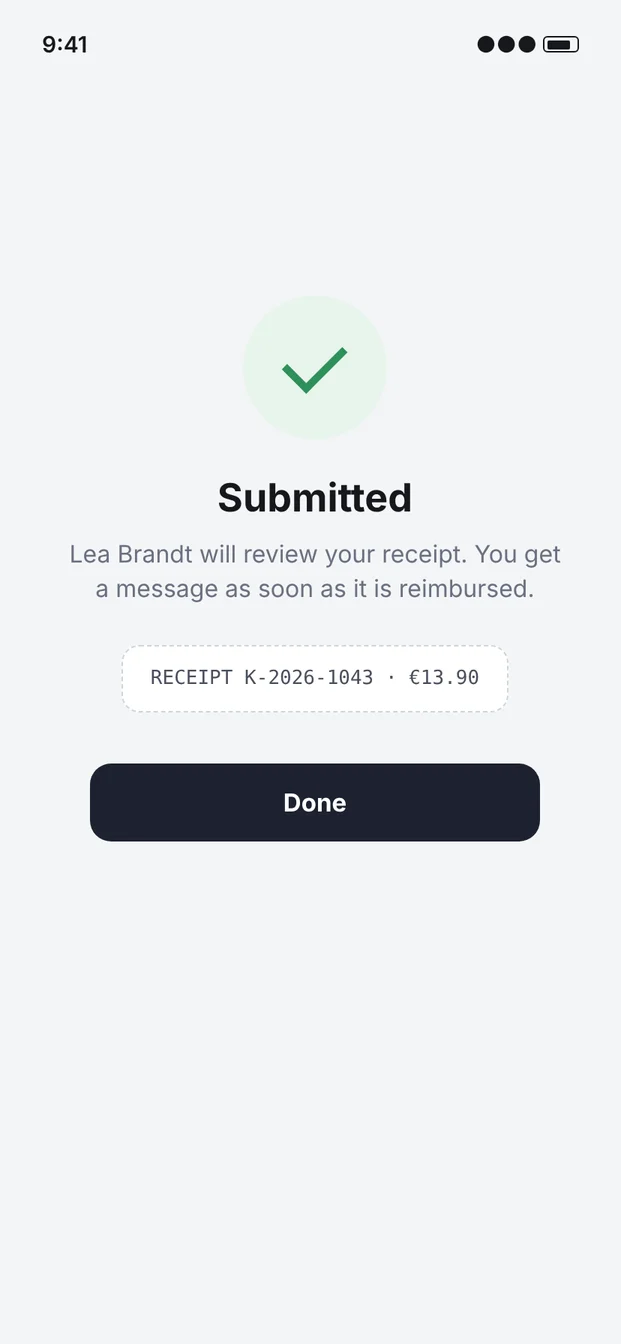
The app simulation turns screenshots into a guided exercise. You drag the click area onto the screenshot, write one line of instruction and move on. Learners tap, get a hint after two misses and see what they got right on the first try.
Tap tasks, notes, info steps and explore steps with hover hints
Phone, tablet or desktop frame
Resume where they left off, keyboard alternative included
03
Report to the LMS
Export SCORM 1.2, SCORM 2004 or plain HTML. Before you upload anything, the built-in LMS simulator shows exactly which values the package will send: status, score, bookmark, suspend data.
App simulation and interactive video sit next to quizzes, branching scenarios, drag and drop, flashcards and course presentations. All of it is H5P, so nothing is locked in.
Shared projects
An admin creates the accounts. Each project has owners, editors and viewers, and everyone sees the same courses instead of passing files around.
Lea BrandtOwner
Jonas EhlersEditor
Mira OkaforViewer
Four course languages
One click turns a course into a new language version with all media. Then you swap texts and screenshots.
DEENFRIT
Interactive video
Buttons, questions and jumps on top of any video. Most requests start here.
QuizBranchingDrag and dropHotspots+50
Bring what you have
Import .h5p files from Lumi or elsewhere, whole project exports, and click-practice packages that become editable simulations.
Plietschpaket is its own OAuth server and speaks MCP. Claude reads the authoring guide, writes the units, uploads your screenshots and exports the package. It works with the rights of whoever signed in, nothing more.
Public server
Add it as a connector
Paste the /mcp address into Claude, sign in, confirm. That's the whole setup.
Behind a VPN
Use the desktop extension
Connectors come from the cloud and can't see your intranet. The .mcpb extension runs on the laptop and talks to the server directly.
Build a short course for new sales staff on submitting a receipt in Kontor. Screenshots are in the Kontor folder. German first, then English, and finish with three questions.
get_authoring_guide
create_courseKontor · Expenses
upload_local_file4 screenshots
create_unit · H5P.AppSimulation8 steps
create_unit · H5P.QuestionSet3 questions
create_language_versionEN
export_courseSCORM 1.2
Done. The course has a practice part with 8 steps and a short check at the end, in German and English. The SCORM 1.2 package is ready under Exports, and the preview shows what your LMS will receive.
Self-hosting
Your server, your data
One container, one volume, SQLite inside. Put it behind the reverse proxy you already run and the IT department can sign it off in an afternoon.
terminal
git clone https://github.com/tillheidrich/plietschpaket
cd plietschpaket
cp .env.example .env # set ADMIN_PASSWORD and APP_SECRETdocker compose up -d --build
# behind your TLS proxy:curl -s localhost:8080/healthz
{"status":"ok"}
Security baseline written downThreat model, OWASP checks and the deliberate exceptions live in SECURITY.md.
Access you can revokeOAuth 2.1 with PKCE, hashed personal keys that expire, sessions that end on password change.
Locked-down by defaultStrict CSP per route, rate limits, upload sniffing, and only admins may install new content types.
Nothing phones homeNo telemetry, no H5P Hub unless you switch it on. Claude is optional.
FAQ
Questions people ask
Why the odd name?
Plietsch is Low German, the dialect of the north German coast, and means clever or quick on the uptake. A Plietschpaket is a clever package, which is what the SCORM file is.
Does it cost anything?
No. The code is GPL-3.0 and you run it yourself. You only pay for your server and, if you use it, your Claude plan.
Which LMS does it work with?
Anything that imports SCORM 1.2 or SCORM 2004 4th edition, which covers Moodle, ILIAS, Cornerstone, SAP SuccessFactors, Docebo and most others. The package uses a single SCO, so there are no navigation surprises.
Do I need Claude?
No. Every feature works in the browser editor. Claude is a second way in for people who prefer to describe a course rather than click it together.
Can I import our existing Lumi files?
Yes. Save them as .h5p in Lumi and import them, one by one or as a ZIP. SCORM packages from other tools can't be turned back into editable content.
Take it for a spin on your own server
Clone the repo, run docker compose, sign in with the admin account. The demo course from this page sits in the examples folder and makes a good first import.